Payment Term Settings
This section displays all the payment terms available on the shop, which can be updated.
The list initially contains the payment terms that were added by default when creating the shop.
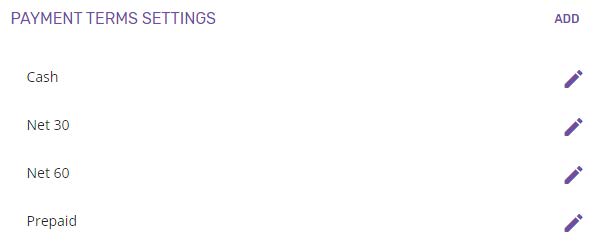
The payment terms will be used when creating quotes and will be visible for the customers.
Add payment term
New payment terms can be added to the shop by clicking the ADD button, which will open the Add payment terms page.
The name is the only field that has to be typed in.
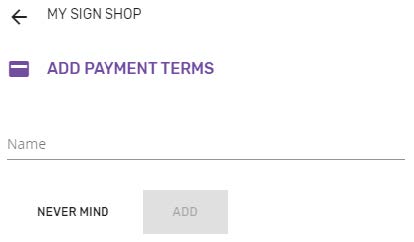
After filling in the payment term’s name, the ADD button needs to be clicked to add the payment term to the shop. The new added term will be visible in the Payment terms list from My Shop.
Edit payment term
Existing payment terms can be edited by clicking on the Pencil icon, which will open the Edit payment terms page.
Any change made on the Name field will be saved by clicking the UPDATE button.
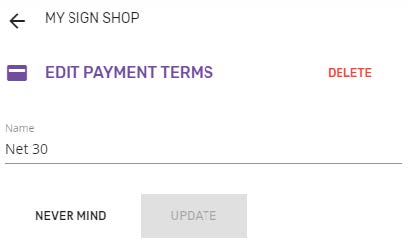
NEVER MIND will discard any change and return to the My Shop page (the same as the Back button from the header).
Delete payment term
Deleting a payment term is possible by clicking the DELETE button from Edit payment terms screen. Confirmation is required for deleting a payment term from the shop.
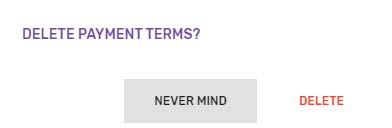
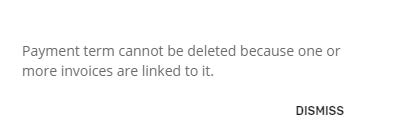
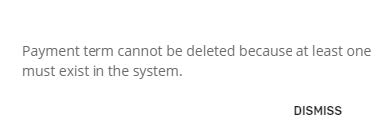
Any payment term can be deleted, except for the ones being used for invoices. Also, it shouldn't be possible deleting all the shop's payment terms, there should be at least one defined.
A warning message is displayed when trying to delete a payment term in use / the only payment term from the shop, informing why it cannot be deleted.